Disposable Shiny Apps: Annotated Talk Notes
I gave this talk at posit::conf(2025) in Atlanta on September 18, 2025. The argument: with AI-assisted coding, the barrier to building a Shiny app for a meeting is now low enough that you should be choosing apps over slides more often — and then deleting them when you’re done.
There’s a prose write-up of the same ideas if you prefer that format. This post is the annotated slides version: what each section was trying to do, notes on the talk itself, and things I’d do differently. Inspired by Simon Willison’s annotated presentations format. The slides and demo code are on GitHub.
Credit to Barrett Schloerke, whose talk on single-file Shiny apps planted the seed for this one.
- The opening provocation
- Who I am and why I can say this
- The moment everything stalls
- Interactive vs. passive
- The two traps
- The disposable mindset
- How to build one
- Overcoming objections
- The challenge
The opening provocation
The talk opens with two lines in large text against a dark background:
You should build more Shiny apps. And then throw them away.
The juxtaposition is deliberate. Most conference talks about Shiny apps are about building better, longer-lived, more robust ones. This one inverts that. The phrase “throw them away” is meant to sound almost irresponsible, because getting people interested in an idea often requires making them feel slightly uncomfortable first.
It landed. The room got quiet in a way that felt like engagement, and I’ll take that.
Who I am and why I can say this
I maintain a two-year-old production app with 100-plus users, tests, CI/CD, and a backlog. I know the pain of longevity. But I also build apps for single meetings — apps that live for an hour and die gracefully.
This credibility slide mattered. If I only built disposable apps, you might reasonably dismiss the argument as naivety about engineering. The production side of my work is what earns the right to advocate for the disposable side.
In hindsight, this section ran a little long. The audience doesn’t need much convincing that I’ve built software before. A single sentence would have done it.
The moment everything stalls
The scenario: you’ve crafted a narrative, polished the slides, and you’re telling the story. A stakeholder asks:
“That’s interesting, but what if we looked at the data this way?”
Your answer: “I’ll have to get back to you on that.”
The conversation stops. You had their attention and couldn’t keep it, because a static slide deck can’t bend to the question.
Most people in a data science audience have been in this room. The scenario resonated — I could see it on faces. This is the problem worth solving.
Interactive vs. passive
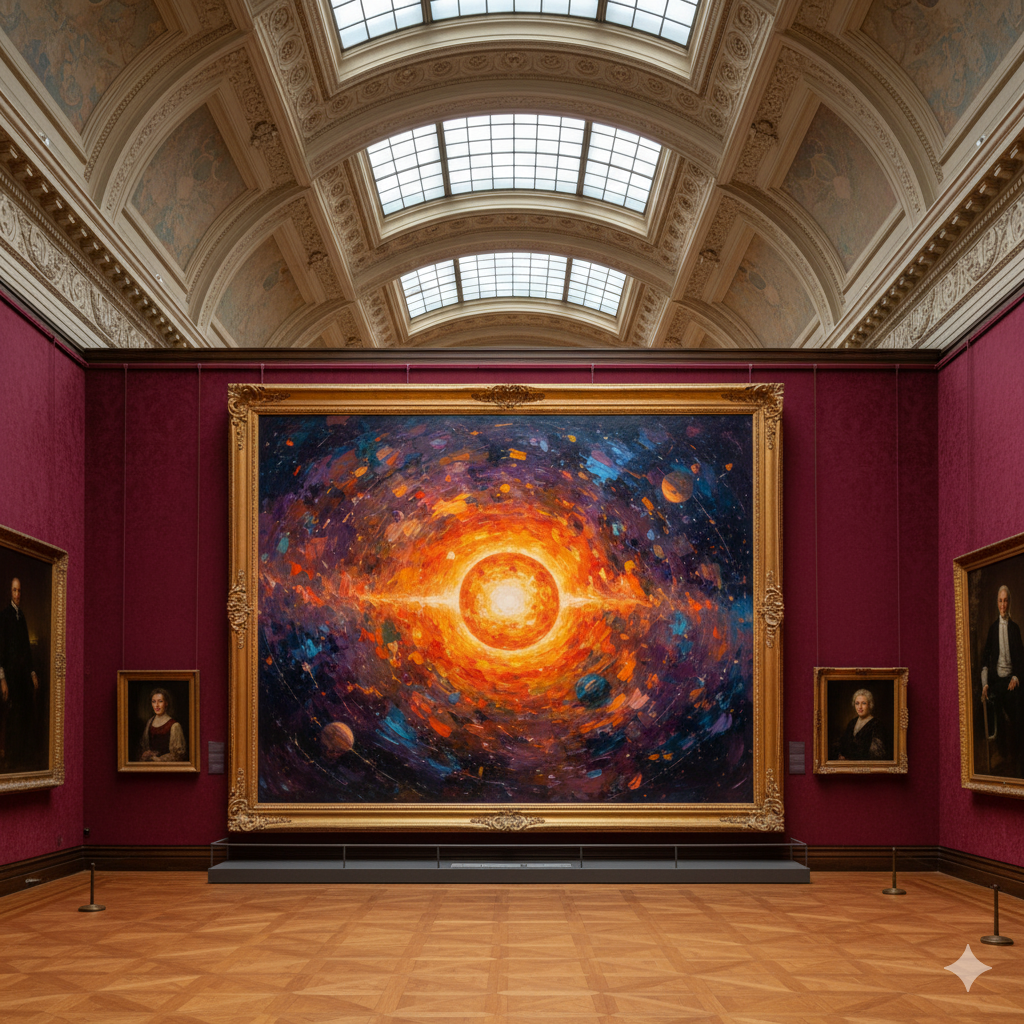
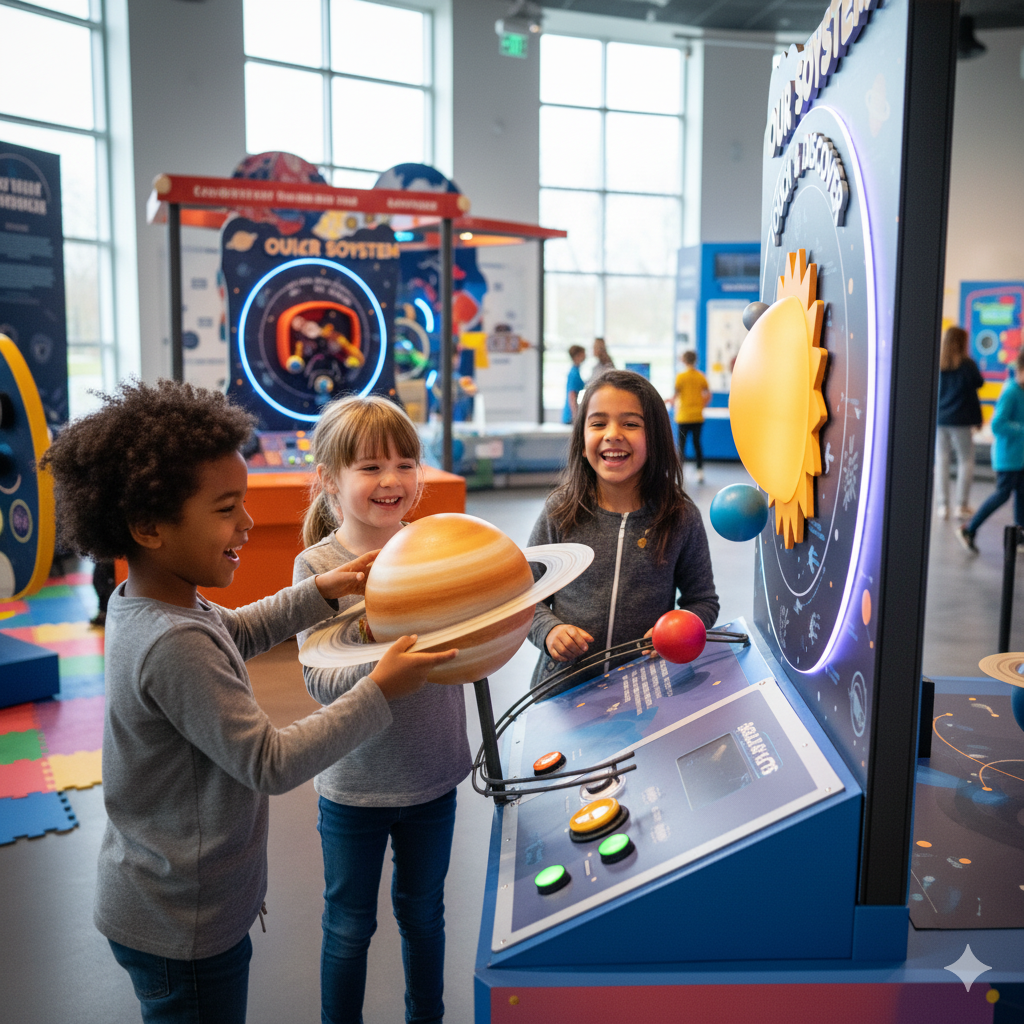
This was my favorite slide in the deck. A fine art gallery and a children’s museum side by side, with no explanation. Two completely different philosophies about how people should relate to what’s on display.
A slide deck is a fine art gallery. You can look at the data, but please don’t touch. A Shiny app is a children’s museum. The data is there to be played with.
The question I posed to the audience: “What do you hope to achieve with your presentation?” If the answer involves people understanding the data — not just seeing it — you probably want the children’s museum.
The images did the work here. I barely needed to speak.
The two traps
Why don’t more people build apps? Two failure modes:
Trap 1: “Don’t Build.” The development hill looks too steep for a single meeting. We default to slides because they feel like the path of least resistance.
Trap 2: “Over-Build.” If we do decide to build, engineering instincts kick in. We add a database, set up CI/CD, write tests. We engineer a production system for a problem that needed a fifteen-minute solution.
Both traps lead to the same outcome: something static when you could have had something interactive.
The punchline: “The consequence of both traps? Death by PowerPoint.” That’s a bit of a crowd-pleasing line, and it worked, but I think the “over-build” trap is the more interesting and less-discussed one. Most talks about app development implicitly encourage it.
The disposable mindset
The definition I put on screen:
- Its value is in its immediate impact, not its longevity.
- It’s a communication artifact, not a production system.
- It’s designed to be thrown away.
The analogy that holds up best: a whiteboard sketch. People gather around it, point at it, annotate it. At the end of the meeting, someone erases it. That’s not a failure — that’s what whiteboards are for. A disposable Shiny app is the same thing, with interactivity.
This section could have been shorter. The concept isn’t complicated. Say it once, cleanly, and move on.
How to build one
The practical core of the talk. I walked through building an actual app live: the Twin Potty Training Command Center. (Twin toddlers in potty training plus a four-year-old plus four cats equals a legitimately chaotic data problem that needed a Shiny solution.)
Step 1: Start with one question
Scope a question, not a dashboard. The question I used: “How can I track and optimize twin potty training success for Henry and Penelope?” Specific enough to build from. Small enough to finish in fifteen minutes.
Step 2: Write a clear prompt
Here’s the actual prompt I used in Positron Assistant:
@shiny your task is to build a fun and engaging shiny app all about potty training.

- The purpose of the app is to help my wife and me know what to do next
  when it comes to potty training _twins_ (yikes!).
- We are following _Oh Crap! Potty Training_ by Jamie Glowacki.

The app should consist of:
  - a page_sidebar where the left sidebar is a shinychat that we can use
    as our Jamie Glowacki stand-in in times of need. We should use
    `claude-sonnet-4` via ellmer as our guide.
  - a main page with trackers and graphs to track pees, poops, and
    parental sanity. Remember that it matters if we made it to the potty
    or if it was an accident.
  - For bonus points, you can include a prediction for the next "event".
  - You should give this a theme suitable for the task at hand.
    Use `_brand.yml` to help you out.

It is important to remember to treat the twins separately. This should
be easy, they are boy-girl twins named Henry and Penelope.
The structure that matters: clear objective, specific features, tool preferences (bslib, ellmer, shinychat), and enough context for the model to make reasonable choices without guessing. The _brand.yml call-out is worth noting — it’s a good way to get consistent theming without specifying every color yourself.
Step 3: Let the model generate the code
Minutes later: complete UI with bslib components, data simulation, visualizations, and shinychat integration. The important thing is to watch it work — not to micromanage, but to redirect when it goes off track.
Step 4: Tweak and ship
Fix what’s broken, adjust the layout, swap in real data.
- Generation: 2–5 minutes
- Review: 2–5 minutes
- Tweaks: 5–10 minutes
- Total: 15 minutes
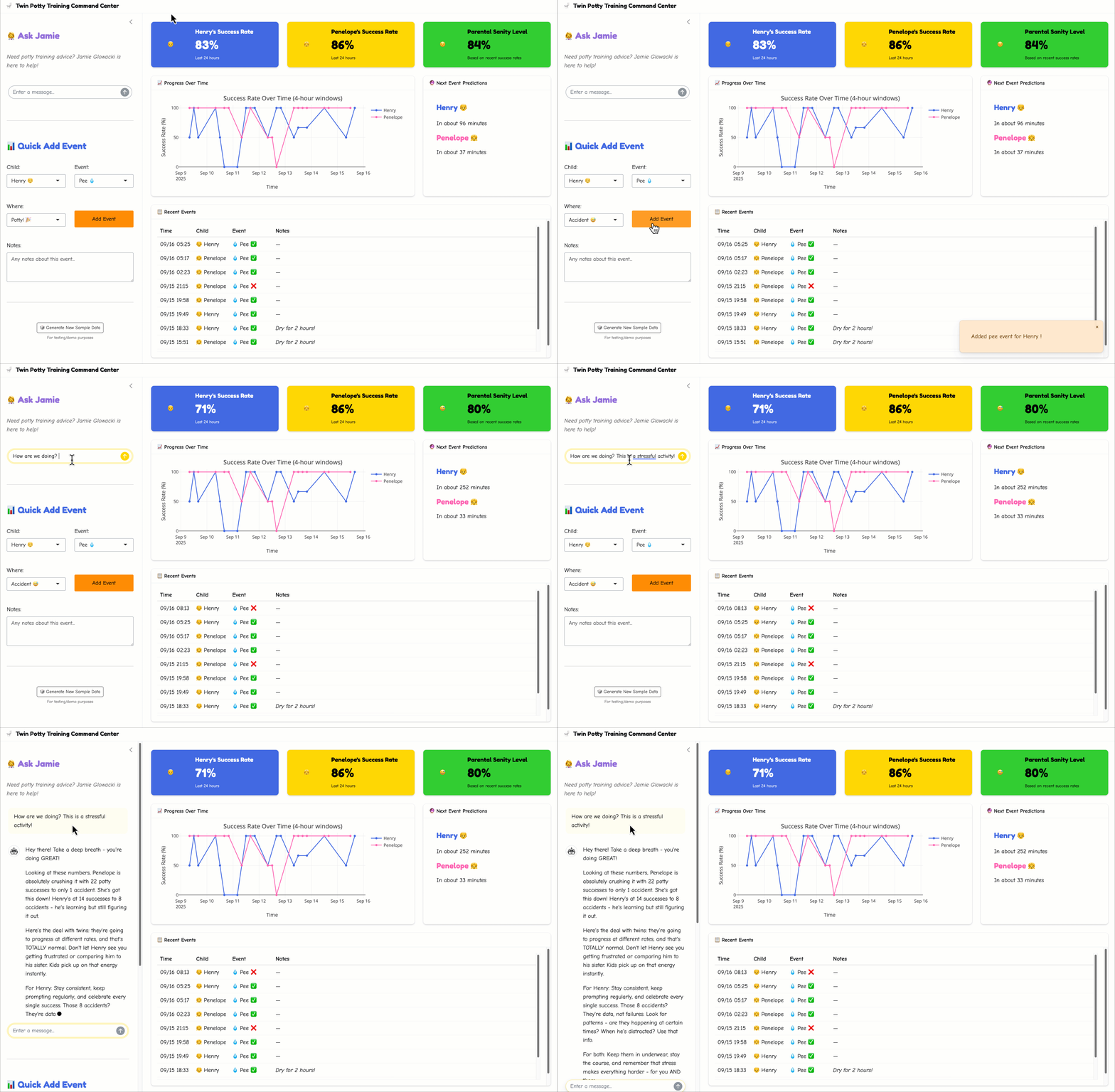
The demo worked. There’s always one moment in a live demo where something doesn’t cooperate, and this one was no exception, but the app ran, the chat worked, and the audience got the idea. The GIF above is from the demo.
Overcoming objections
Three objections come up reliably when I describe this approach.
“Who will support it?” Nobody. That’s the point. You don’t maintain a whiteboard drawing — you erase it. If you need the app again, you rebuild it. You probably understand the problem better now anyway, so the rebuild will be faster and better.
“Won’t this create app sprawl?” Yes, potentially. I’ve been accused of being an app hoarder, so I might be the wrong person to ask. The key distinction is communication artifacts vs. production systems. The commitment is that you delete them. If an app proves valuable enough to outlive the meeting, that’s a signal to build a proper version — with tests and CI/CD and a maintenance plan. Most apps won’t earn that.
“Isn’t this more work than slides?” The accounting:
- Slide deck: ~8 hours of work, low impact, zero interactivity.
- Disposable app: ~1 hour, high impact, full interactivity.
The ratio isn’t close. And data scientists generally find coding more enjoyable than slide alignment, which matters more than it sounds.
The challenge
The closing:
The next time you have a presentation — open Positron before you open PowerPoint.
Not every presentation needs an app. But more of them could use one than currently do. Ask the question before defaulting to slides.
And when the meeting’s over: delete it.